

 Vanilla Cloud Plus add-on for 3CX
See every call. Act on what matters.
Dimensions sits on top of your 3CX phone system and turns your call data into live wallboards, interactive dashboards and detailed reports. It goes far beyond the standard 3CX call log, so you can see what’s happening now and what happened last month.
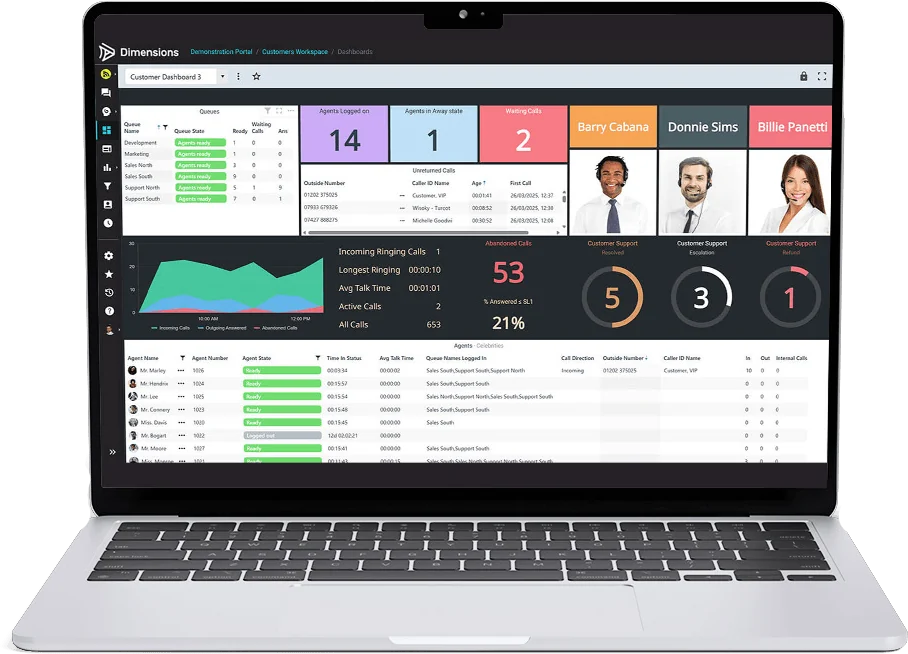
More than a call log. Real insight into your customers.
3CX’s built-in call log tells you a call happened. Dimensions tells you how your team and your customers are really getting on, in a way managers can act on.
Built-in call log and reports
- A list of calls made and received
- Standard queue and extension reports
- Set reports, with limited ways to slice the data
Wallboards, dashboards and full reporting
- Cradle-to-grave history of every call
- Live, configurable wallboards for every team
- Interactive supervisor and personal dashboards
- Click-through reports, filters and scheduled emails
- Call recording playback and Teams reporting built in
Put people where they matter most, based on what your calls are telling you.
Improve productivity with actionable insight into agents, queues and call flows.
Spot problems early and make informed decisions on training and process.
Analytics and reporting, all in one suite.
Follow every call from first ring to final outcome, across queues, transfers and extensions.
Fully configurable and filterable wallboards that keep the whole team informed at a glance.
Interactive dashboards for managers and for each team member, set up the way they work.
Standard and quick filters everywhere, so you can find exactly the calls you need.
Send multiple reports to multiple people automatically, on the schedule you choose.
Listen back to a call straight from the report, without switching systems.
Historic call reporting for calls handled through Microsoft Teams.
Stay ahead of busy periods and missed calls with alerts when thresholds are crossed.
Connects natively to 3CX, for a hassle-free set-up with minimal disruption.
Information at a glance, for the whole room.
A modern, customisable wallboard for every team. Build it from tiles and show the numbers that matter to that team, on a screen on the wall or in a browser tab.
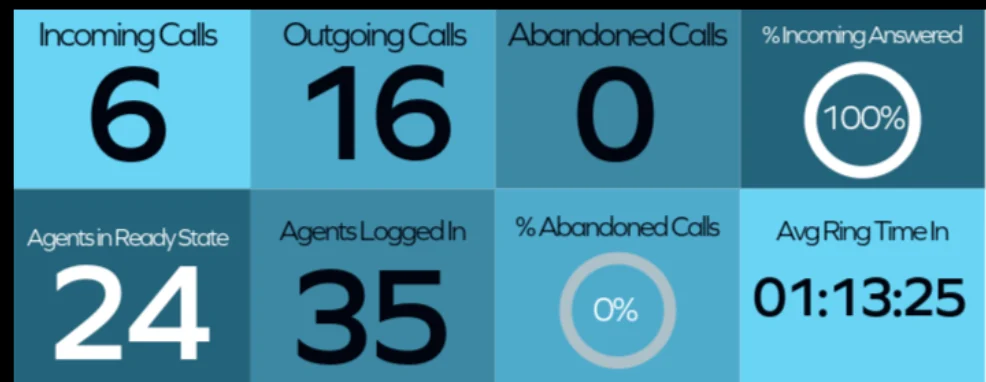
Fully customisable, with multiple views.
Interactive dashboards put control in the hands of supervisors and team members, each with the view that suits them.
An unreturned abandoned calls grid shows who still needs a call back.
See queue performance live and move people before callers wait too long.
Call volumes and trends over the day, week or month.
Know straight away when a threshold is crossed.

Historic reporting, fully segmented as standard.
Completely customisable reports with click-through navigation. Start with the big picture and drill down to an individual call in a couple of clicks.
- Standard filters and quick filters
- Grid or chart view
- Schedule reports by email
- Click-through from summary to call
Report categories
Cloud-powered, with security built in.
Two-factor authentication and single sign-on support, with data encrypted in transit and at rest.
Hosted in Microsoft Azure across availability zones, with geo-redundant data and backups.
Scales instantly as your business grows, without new hardware.
AI transcription with full summaries and sentiment analysis, a reporting API for your own business intelligence tools, and a live calls grid with drag and drop. We’ll let customers know as each feature becomes available.
Build out your 3CX platform.

CallCabinet recording
Smart, compliant call recording with redaction for card and personal details.
Explore CallCabinet SIP trunk add-on
Sentra fraud protection
Real-time AI that spots and blocks toll fraud on your SIP trunks.
Explore Sentra PlatformThe 3CX platform
What 3CX is, what’s included and the systems it works with out of the box.
About 3CXDimensions FAQs
Does Dimensions replace 3CX?
Do I need new hardware?
Can I schedule reports for managers?
Does it report on Microsoft Teams calls?
Give your team the full picture.
We’ll show you Dimensions with wallboards and reports set up around your queues and teams.